
How to Build an AI Chatbot for Your Business
A complete guide to building and deploying an AI chatbot for customer service, lead generation, and internal support using modern LLM tools.
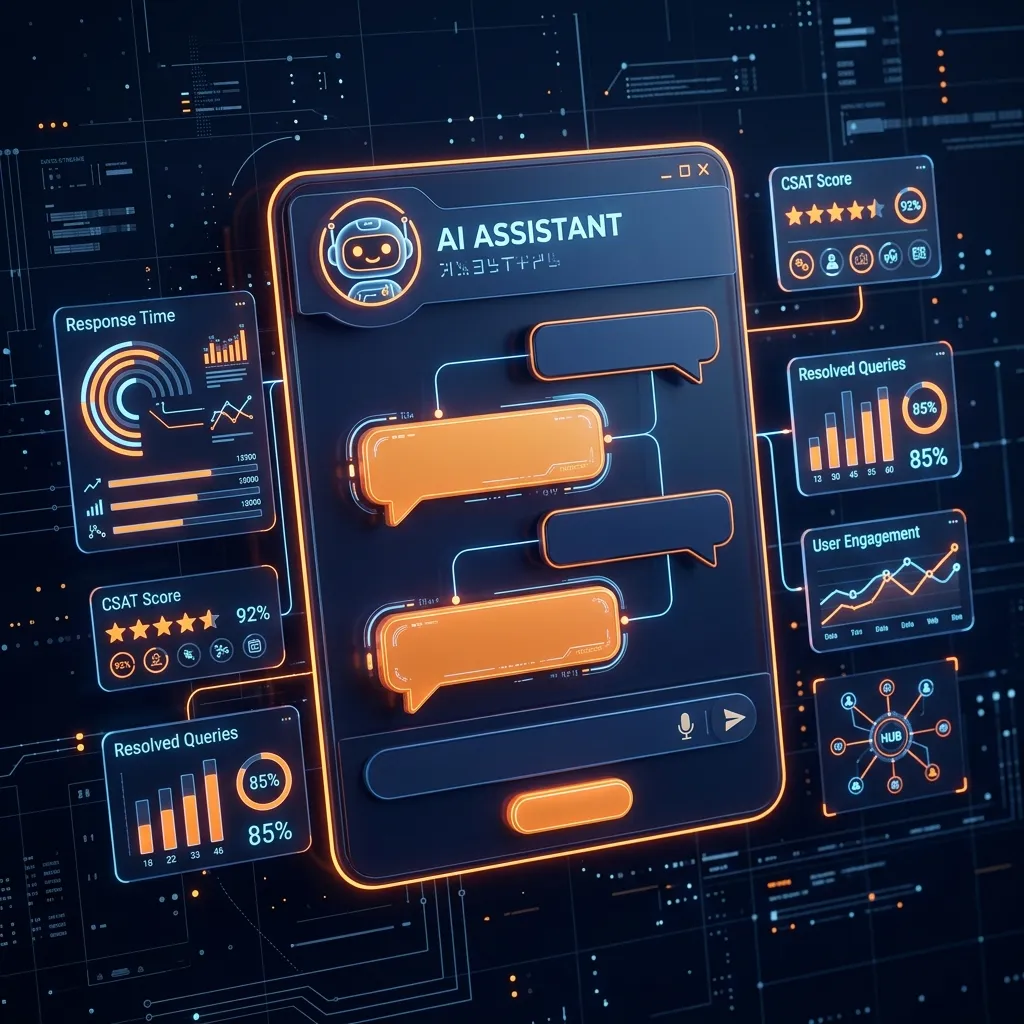
Quick answer: Building an AI chatbot for your business involves choosing a large language model (GPT-4o, Claude, or Gemini), setting up a retrieval-augmented generation (RAG) pipeline with your business data, integrating with your CRM and support tools, and deploying on your website or WhatsApp. According to Grand View Research, the global chatbot market is expected to reach $3.6 billion by 2027, with Indian businesses adopting AI chatbots rapidly for customer service, lead generation, and workflow automation.
AI chatbots have moved from novelties to essential business infrastructure. Companies across India are deploying intelligent chatbots to handle customer inquiries, qualify leads, automate workflows, and reduce operational costs — all while maintaining a consistent brand experience around the clock.
Unlike the rigid, rule-based bots of five years ago, today’s AI chatbots are powered by large language models (LLMs) that understand natural language, maintain context, and generate human-like responses. They pull information from your knowledge base, integrate with your CRM, and escalate complex issues to human agents without requiring your team to be online.
This guide walks you through the complete process of building an AI chatbot — from choosing the right technology to measuring ROI, with Indian pricing benchmarks.
Why Your Business Needs an AI Chatbot
The business case is straightforward and measurable:
- 24/7 availability without staffing costs. Your customers don’t operate on a 9-to-5 schedule. An AI chatbot handles inquiries at 2 AM just as effectively as during peak hours.
- Reduced support costs. Companies typically see a 40–60% reduction in customer support costs within six months. A single human agent handles 40–60 conversations per day. An AI chatbot handles thousands simultaneously.
- Faster response times. 53% of users abandon a purchase if they can’t find a quick answer. AI chatbots respond in under two seconds.
- Higher lead conversion. A chatbot that engages visitors immediately — asking qualifying questions and scheduling demos — converts at rates 3–5x higher than passive contact forms.
- Scalability during demand spikes. During product launches or festive season sales, support volume can spike 10–20x overnight. An AI chatbot scales instantly; hiring takes weeks.
- Consistent brand voice. Every customer receives the same quality of interaction, regardless of which agent picks up.
Types of AI Chatbots
Rule-based chatbots follow pre-defined decision trees. If the user says X, respond with Y. They’re simple to build, predictable, and work well for narrow use cases like FAQ pages or appointment scheduling. The limitation is clear: they break down when users phrase questions differently than anticipated and can’t handle unexpected inputs. Monthly platform costs range from ₹2,000 to ₹15,000.
NLP-powered chatbots understand intent beyond exact keyword matching. They handle paraphrased questions, extract entities like order numbers or dates, and route conversations to the right flow. Platforms like Dialogflow and Rasa fall here. They’re a solid middle ground between simplicity and flexibility, though they require more setup than rule-based alternatives.
LLM-powered chatbots leverage models like GPT-4, Claude, or Gemini to generate contextually relevant, natural responses. They understand nuance, handle ambiguous queries, and can reason through multi-step problems. These are the chatbots transforming customer experience today — and the focus of this guide.
Agentic chatbots go beyond conversation. They take actions: checking inventory, processing refunds, updating CRM records, booking appointments, and triggering workflows across multiple systems. They combine LLM reasoning with tool-use capabilities, making your chatbot a true digital employee rather than just a Q&A interface.
Most modern deployments combine LLM reasoning with agentic capabilities. We recommend building toward this architecture from the start, even if you launch with a simpler conversational bot.
Step-by-Step: Building Your AI Chatbot
Step 1: Define the primary use case. Start with the single highest-value conversation your chatbot can handle — answering support questions, qualifying leads, or helping employees find documentation. Map the typical conversation flow: list questions users will ask, information your chatbot needs to answer them, and actions it should take. Pick one use case. Execute well. Expand later.
Step 2: Map conversation flows. Document every scenario. List the top 20 questions your chatbot will encounter, the data required to answer each, and the expected response format. Define clear boundaries — what the chatbot should refuse to handle and the exact conditions for human handoff. Create flow diagrams for complex scenarios.
Step 3: Build your knowledge base. Gather FAQs, product documentation, pricing pages, company policies, and troubleshooting guides. Clean and structure this content into logical, self-contained chunks — each addressing one topic. Store these chunks in a vector database like Pinecone, Weaviate, or Supabase for semantic search.
Step 4: Choose your tech stack. Platform approach (Intercom, Tidio) for non-technical teams — drag-and-drop builders with pre-built AI integrations, ₹2,000–15,000/month. Custom build with LLM APIs (OpenAI, Claude with LangChain or LlamaIndex) for full control and lower costs at scale. Open-source (Rasa, Botpress with open-source LLMs) for data-sensitive applications where you cannot send data to third-party APIs.
Step 5: Implement RAG. Retrieval-Augmented Generation connects your LLM to your knowledge base. When a user asks a question, the system searches your vector database for relevant content chunks, injects them into the prompt, and generates a grounded response. RAG dramatically reduces hallucinations by anchoring responses in your actual content.
Step 6: Design the system prompt. Write clear instructions defining your chatbot’s role, tone, response format, and rules. Specify the brand voice (formal, friendly, technical, casual) and how it should handle greetings, unclear questions, complaints, and requests it can’t fulfill. Test different prompt versions and iterate based on output quality.
Step 7: Test rigorously. Run your chatbot through hundreds of scenarios before launch. Test with team members who don’t know the exact answers — simulate genuine user behavior. Identify failure modes: questions the chatbot can’t answer, edge cases producing incorrect responses, and situations causing stuck loops. Build a test dataset and run it after every change.
Step 8: Deploy and monitor. Launch on your highest-traffic channel first — usually your website. Set up monitoring dashboards tracking containment rate, CSAT, and resolution time. Implement human handoff for low-confidence responses. Schedule weekly reviews of conversation logs. An AI chatbot is a living system — continuous optimization is the expectation, not the exception.
Choosing the Right LLM
OpenAI GPT-4o offers the best balance of capability and cost for most business applications. It handles complex reasoning, supports function calling for tool integration, and has a massive ecosystem of libraries and examples. Pricing is competitive and the API is reliable and well-documented. Best for: general-purpose business chatbots, customer support, and content generation.
Anthropic Claude excels at nuanced, context-heavy conversations. Its 200K-token context window makes it ideal for chatbots that need to reference long documents or maintain extensive conversation history. Claude is also known for strong safety alignment — critical when your chatbot interacts with the public. Best for: complex support scenarios, document-heavy use cases, and applications requiring careful adherence to instructions.
Google Gemini brings tight integration with Google Workspace and strong multimodal capabilities. If your business runs on Google infrastructure, Gemini offers natural synergies. Competitive pricing and solid performance on structured tasks. Best for: Google ecosystem integration, multimodal applications, and cost-conscious deployments.
Open-source models (Llama 3, Mistral, Qwen) offer full control over your data and infrastructure. No data leaves your servers. Self-hosting requires DevOps capability and GPU resources, but eliminates per-token API costs and third-party data dependencies. Best for: data-sensitive industries (healthcare, finance, government), high-volume applications where API costs become prohibitive, and organizations with existing ML infrastructure.
Our recommendation: Start with GPT-4o or Claude for your initial deployment. The flexibility of modern frameworks means you can switch models with minimal code changes. Migrate to open-source later if cost, privacy, or latency requirements demand it.
Integrating with Your Business Tools
- CRM (Salesforce, HubSpot, Zoho): Auto-create contacts with full conversation history when the chatbot identifies qualified leads.
- Helpdesk (Zendesk, Freshdesk): Create support tickets with complete transcripts when escalation is needed.
- WhatsApp (critical for India): Deploy via WhatsApp Business API where your customers already are. This is essential for B2C businesses.
- Internal tools (Slack, Teams): Build IT support bots or knowledge assistants directly in the tools your team uses.
Designing Conversation Flows
- Set expectations early. Open with a clear statement of what the chatbot can help with: “I’m DigiAssist, and I can help you track orders, answer product questions, or connect you with our team.” Users who know what to expect engage more effectively.
- Use quick reply buttons for common paths. Don’t make users type when they can tap. Offer quick replies for the top 3–5 actions: “Track my order,” “Talk to sales,” “Pricing information,” “Something else.” This reduces friction and guides users toward successful outcomes.
- Collect information conversationally. Instead of dumping a form on the user, ask one question at a time in natural language. “What’s your order number?” feels conversational. A five-field form feels like work. Use context to pre-fill what you can — if the user is logged in, don’t ask for their email.
- Always offer a human escape hatch. Every screen, every flow, every conversation should include a clear “Talk to a human” option. When the chatbot can’t help, the transition to a human agent should be seamless and immediate.
Example conversation flow for order tracking:
Chatbot: Hi! I can help you track your order. What’s your order number? User: I don’t have it handy Chatbot: No problem. Can you share the email address you used when placing the order? User: sarah@example.com Chatbot: Found it! Your order #4521 is out for delivery and should arrive by 5 PM today. Would you like delivery updates on WhatsApp?
This flow handles missing information gracefully, extracts the needed data naturally, and offers proactive follow-up — all without requiring the user to leave the conversation.
Handling Edge Cases and Fallbacks
Your chatbot will encounter questions it can’t answer. How it handles these moments determines user trust.
- Confidence thresholds. Set a minimum confidence score for generated responses (typically 0.6–0.7). If the LLM’s confidence falls below the threshold, route the conversation to a human agent. Most LLM APIs return confidence scores — use them.
- Graceful fallback responses. When the chatbot doesn’t know, it should say so honestly: “I’m not sure about that, but let me connect you with someone who can help.” Never guess or fabricate answers, especially for factual queries about pricing, policies, or legal matters.
- Guardrails for sensitive topics. Define topics your chatbot should always escalate: legal questions, medical advice, refund exceptions above a certain value, complaints about specific employees, or anything that could create liability. Implement these as hard rules in your system prompt.
- Rate limiting and abuse prevention. Protect against prompt injection and abuse. Limit conversation length, detect repetitive or adversarial inputs, and implement cooldown periods. Monitor for unusual usage patterns that might indicate automated abuse.
- Human handoff protocol. When escalating, transfer the full conversation history, user metadata, sentiment analysis, and a summary of the issue to the human agent. The agent should never need to ask the customer to repeat themselves.
Measuring Chatbot Performance
What gets measured gets improved. Track these metrics from day one.
- Containment rate — conversations resolved without humans. Aim for 60–80%. Track daily and investigate drops.
- CSAT score — one-question satisfaction rating at conversation end. Target 4.0/5.0 or higher.
- Average resolution time — compare against human agent times to quantify efficiency gains.
- Conversation completion rate — high abandonment signals UX problems or confusing design.
- Escalation reasons — patterns reveal knowledge gaps, prompt weaknesses, or integration failures.
- Cost per conversation — total operating cost divided by conversations handled. Target 70–90% reduction vs. human agents.
Set up a weekly review cadence. Analyze 20–30 conversations per week manually. Identify patterns, update the knowledge base, and refine prompts.
Real Example: Chatbot We Built for Logistics
A mid-sized logistics company in North India was overwhelmed with shipment tracking inquiries. Agents spent 70% of their day answering “Where is my truck?” variations. Response times averaged 4 hours. Customer satisfaction was declining.
We built an AI chatbot integrated with their fleet management system via API. The chatbot could look up shipment status in real-time, provide ETAs, share proof of delivery documents, and initiate damage claims.
Results within 90 days:
- 78% containment rate — nearly 8 out of 10 tracking queries resolved without human involvement
- Average response time dropped from 4 hours to 8 seconds
- CSAT improved from 3.2 to 4.4 out of 5
- Support team redirected to high-value tasks: exception handling and client relationship management
- Estimated annual savings: ₹18 lakhs
The chatbot didn’t replace their support team — it freed them to do work requiring human judgment.
Cost and Timeline for AI Chatbot Development
Platform-based (no custom dev): ₹15,000–50,000 setup + ₹5,000–25,000/month. Ready in 1–2 weeks.
Custom with LLM APIs: ₹2–6 lakhs development + ₹8,000–30,000/month API and hosting. Timeline: 4–8 weeks.
Enterprise agentic chatbot: ₹8–25 lakhs development + ₹20,000–80,000/month operating. Timeline: 8–16 weeks.
Ongoing costs: LLM API (₹5,000–50,000/month), vector database (₹2,000–10,000/month), infrastructure (₹10,000–50,000/month if self-hosting), and maintenance (10–15% of development cost annually).
ROI timeline: Most businesses see positive ROI within 3–6 months.
Conclusion
AI chatbots are becoming table stakes. Businesses that deploy intelligent, well-designed chatbots reduce costs, improve satisfaction, and free their teams to focus on what matters.
The technology is mature, the tools are accessible, and the ROI is proven. Start with your highest-value use case. Build it. Measure it. Improve it. Repeat. Ready to build your AI chatbot? Talk to our team about your use case. We’ll help you scope the project, choose the right approach, and deliver a chatbot that works for your business.
Frequently Asked Questions
Q1: How much does it cost to build an AI chatbot in India? A1: A basic FAQ chatbot using a platform like Tidio or Tawk.to starts at ₹5,000-₹15,000/month. A custom AI chatbot with RAG pipeline, CRM integration, and WhatsApp deployment costs ₹50,000-₹3,00,000 for development, plus ₹10,000-₹30,000/month for LLM API usage.
Q2: Do I need coding skills to build an AI chatbot? A2: No-code platforms like Botpress, Voiceflow, and Tidio allow non-technical users to build basic chatbots. However, custom AI chatbots with advanced features (RAG, multi-agent workflows, deep CRM integration) require development expertise in Python or Node.js.
Q3: Can an AI chatbot handle multiple Indian languages? A3: Yes. Modern LLMs (GPT-4o, Gemini Pro) support Hindi, Tamil, Telugu, Bengali, Marathi, and other Indian languages natively. You can train your chatbot on multilingual knowledge bases and configure language detection for seamless switching.
Q4: How do I measure ROI from an AI chatbot? A4: Track metrics like response time reduction, first-contact resolution rate, tickets deflected, leads generated, and customer satisfaction scores. Most businesses see 30-50% reduction in support tickets and 24/7 availability within the first 3 months.
Q5: What is the best LLM for building an AI chatbot? A5: GPT-4o offers the best general performance. Claude 3.5 Sonnet excels at longer conversations and complex reasoning. Gemini Pro is strongest for multilingual Indian use cases. For cost-sensitive projects, Llama 3 (open-source) can be self-hosted at a lower cost.
Need expert help? Learn how our AI solutions services can help you achieve better results.
Enterprise AI Implementation Architecture
Scaling conversational AI chatbots and agents within a production corporate environment requires a robust tech stack and strict guardrails.
High-Level LLM Integration Diagram
- User Query Input: Sent via web app or API client.
- Context Enrichment: RAG pipeline queries vector database (Pinecone/Chroma) for semantic matches.
- Prompt Hardening: Core system instructions, guardrails, and context are assembled.
- Inference Call: Sent to LLM (GPT-4o, Claude 3.5 Sonnet, Gemini Pro).
- Output Validation: Content filtered for safety and accuracy before rendering.
Production AI Checklist
- Rate Limiting: Enforce user quotas to control API costs.
- Latency Budget: Target <1.5s response time using stream rendering.
- Cache Hits: Store frequent embeddings in Redis to save token compute.
- Fallback Logic: Revert to human support if confidence thresholds drop below 75%.
FAQPage Schema (JSON-LD)
{
  "@context": "https://schema.org",
  "@type": "FAQPage",
  "mainEntity": [
    {
      "@type": "Question",
      "name": "How much does it cost to build an AI chatbot in India?",
      "acceptedAnswer": {
        "@type": "Answer",
        "text": "A basic FAQ chatbot starts at ₹5,000-₹15,000/month. A custom AI chatbot with RAG pipeline costs ₹50,000-₹3,00,000 plus ₹10,000-₹30,000/month for LLM API usage."
      }
    },
    {
      "@type": "Question",
      "name": "Do I need coding skills to build an AI chatbot?",
      "acceptedAnswer": {
        "@type": "Answer",
        "text": "No-code platforms allow non-technical users to build basic chatbots. Custom advanced chatbots require Python or Node.js development expertise."
      }
    },
    {
      "@type": "Question",
      "name": "What is the best LLM for building an AI chatbot?",
      "acceptedAnswer": {
        "@type": "Answer",
        "text": "GPT-4o offers the best general performance. Claude 3.5 Sonnet excels at complex reasoning. Gemini Pro is strongest for multilingual Indian use cases."
      }
    }
  ]
}Related Articles
BAT BMS App Tirri Control: How It Works & How to Protect Your E-Rickshaw
The BAT BMS app is going viral for remotely disabling e-rickshaws via Bluetooth. Learn how the Tirri Control prank works, why cheap BMS units are vulnerable, and how to protect your EV.
ChatGPT vs Claude vs Gemini: Which to Use
Compare ChatGPT, Claude, and Gemini across features, pricing, use cases, and performance. Find the best AI assistant for your business needs.
How AI is Changing SEO in 2026: Key Trends & Tips
Explore how artificial intelligence is transforming search engine optimization, from AI Overviews to content creation and ranking algorithms.
Get Professional AI Solutions Services
Custom AI agents and ML models automating 65% of workflows — RAG, LLMs, chatbots, and predictive analytics.
