
Google Business Profile Optimization Guide 2026: Complete Local SEO Strategy
Learn how to optimize your Google Business Profile for local search rankings in 2026. Complete guide covering verification, posts, reviews, photos, and advanced features for Indian businesses.
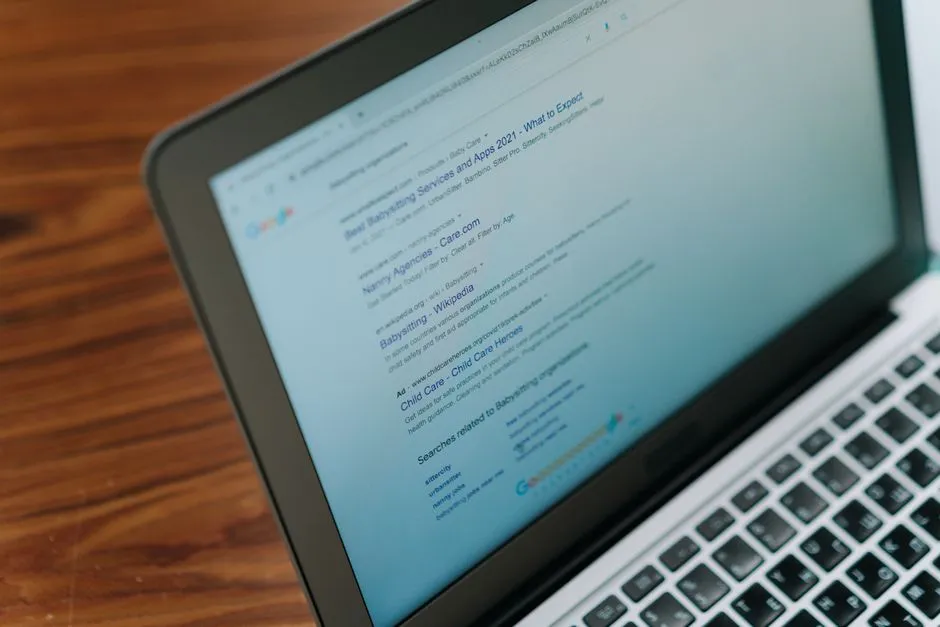
Quick answer: Optimize your Google Business Profile in 2026 by ensuring complete and accurate NAP (name, address, phone) information, selecting the most specific categories, posting 2-3 times weekly, collecting 3-5 new reviews monthly with prompt responses, adding 100+ high-quality photos, using all available attributes, and actively monitoring and answering Q&A. Businesses that fully optimize their GBP see 5-7x more profile views and 3-4x more direction requests.
Why Google Business Profile Matters in 2026
Google Business Profile is the single most important local SEO asset for any business with a physical location or local service area. When a potential customer in Hisar searches for “web development company” or “SEO services near me,” Google shows a Local Pack of three businesses at the top of search results. Your GBP optimization determines whether your business appears there.
The 2026 Local Search Landscape
Google’s June 2026 update made several changes to how GBP listings are ranked:
- Review recency: Recent reviews (last 30 days) carry more weight than older reviews
- Profile completeness penalty: Profiles missing key fields (categories, attributes, hours, photos) are heavily penalized
- Post engagement signals: The engagement rate on your GBP posts now influences ranking
- Q&A activity: Active Q&A sections with prompt owner responses signal an engaged business
- Video content: Profiles with video content receive preferential treatment in local pack results
Step 1: Claim and Verify Your Profile
Claiming Your Profile
Search Google for your business name. If a profile already exists, click “Claim this business” and go through verification. If no profile exists, go to google.com/business to create one.
Verification Methods
Video Verification (Recommended): Google may request a 30-60 second video showing:
- Your business location from the outside (storefront, signage, building number)
- The inside of your business (reception, work areas, equipment)
- Proof of operation (staff working, customers present, inventory)
- Your business documents (license, registration certificate if visible)
Record in landscape mode, ensure good lighting, and speak clearly if narrating.
Phone and Email Verification: Available for select business types. Google sends a verification code via SMS or email. This is the fastest method but less common in 2026.
Postcard Verification: Google sends a postcard with a verification code to your business address. Takes 5-14 days for India post. Only use this if other methods are unavailable.
Step 2: Complete Every Profile Section
Business Name
Use your exact legal business name. Do not add keywords or location names — Google penalizes keyword-stuffed names. “DigiHaryana” not “DigiHaryana — Best Web Development Company in Hisar.”
Categories
Your primary category is the most important ranking signal. Choose the most specific category that describes your core service.
Examples for Indian businesses:
- Web development company → “Web development company” or “Website designer”
- SEO agency → “Internet marketing service” or “SEO agency”
- Restaurant → “North Indian restaurant” or “Family restaurant”
- Clinic → “Doctor” or specific specialization
Add up to 10 secondary categories that cover your additional services.
Attributes
Attributes provide Google with structured data about your business. Fill in every applicable attribute:
- Service options: “Onsite services,” “Online appointments”
- Accessibility: “Wheelchair accessible entrance,” “Wheelchair accessible parking”
- Amenities: “Free Wi-Fi,” “Gender-neutral toilets”
- Payments: “Credit cards,” “UPI,” “Cash”
- Offerings: “Free estimates,” “Military discount”
Business Description
Write a 750-character description (Google’s limit) that naturally includes:
- Your primary service keywords (2-3 times maximum)
- Your location and service area
- Your unique value proposition
- Your years of experience or notable achievements
- A call to action
Example: “DigiHaryana is a trusted IT services company based in Hansi, Haryana, serving businesses across Hisar, Delhi, Chandigarh, and all of North India. We specialize in web development, SEO, and digital marketing. With 500+ projects delivered and 98% client satisfaction, we help businesses grow their online presence with custom solutions and transparent communication. Contact us for a free consultation.”
Contact Information
- Phone: Use a local number with area code. Never use a toll-free number as the primary — Google prefers local numbers.
- Website: Your primary website URL
- Appointment URL: Link to your booking/consultation page
- Menu/Products URL: If applicable, link to your offerings
Hours
Set regular hours accurately. Special hours for holidays are important for trust signals. If your hours change seasonally or for festivals (Diwali, Holi, etc.), update them in advance.
Step 3: Add High-Quality Photos and Videos
Businesses with 100+ photos get 5x more engagement than those with fewer than 10.
Required Photo Types
| Type | Minimum | Best Practice |
|---|---|---|
| Exterior | 3 | Show storefront from different angles, including nearby landmarks |
| Interior | 5 | Reception, workspaces, meeting areas |
| Team | 3 | Staff photos (professional, friendly, diverse) |
| Work Samples | 10+ | Recent projects, completed work, before/after |
| Products/Services | 5+ | Clear, well-lit product photos |
| Videos | 2+ | 30-60 second walkthroughs or service demonstrations |
Photo Guidelines
- Use high-resolution images (1024px minimum width recommended by Google)
- Avoid stock photos — Google can detect and penalize them
- Geotag your photos (most modern phones do this automatically)
- Name files descriptively: “digiharyana-hansi-office-reception.jpg” instead of “IMG_001.jpg”
- Add new photos weekly to signal freshness
Step 4: Collect and Manage Reviews
Review Generation Strategy
Reviews are the single most influential ranking factor for GBP after proximity:
- Ask every satisfied customer for a review — timing matters, ask when they are happiest
- Create a direct review link using the format:
https://search.google.com/local/writereview?placeid=YOUR_PLACE_ID - Include the link in follow-up emails, WhatsApp messages, and SMS
- Never offer incentives for reviews — Google’s terms prohibit this and penalties can be severe
Responding to Reviews
Positive reviews:
- Respond within 24 hours
- Thank the reviewer by name
- Mention something specific from their review
- Avoid generic copy-paste responses — each response should be personalized
Negative reviews:
- Respond within 24 hours
- Stay professional and empathetic
- Apologize if appropriate and offer to resolve offline
- Never argue, blame, or get defensive
- A professional response to a negative review builds more trust than 10 positive reviews
Review Management Cadence
| Week | Action |
|---|---|
| Weekly | Check for new reviews and respond within 24 hours |
| Monthly | Send review requests to 10-20 recent customers |
| Quarterly | Audit review trends and address recurring feedback themes |
| Ongoing | Track review count, average rating, and category ranking |
Step 5: Post Consistently
GBP posts appear in search results and Maps, driving additional visibility and engagement.
Post Types
- Update: General business news, tips, industry insights
- Offer: Promotions, discounts, limited-time deals
- Event: Workshops, webinars, open houses, local events
- Product: New services, featured products, portfolio highlights
Posting Best Practices
- Post at least 2-3 times per week
- Use high-quality images or short videos (30-60 seconds)
- Include a clear call to action: “Call Now,” “Book Online,” “Learn More”
- Keep text concise — users scan GBP posts quickly
- Promote your latest blog posts, case studies, and portfolio additions
- Share customer testimonials as quote-image posts
Step 6: Actively Manage Q&A
Google’s June 2026 update placed increased emphasis on Q&A engagement:
- Monitor your Q&A section weekly for new questions
- Answer every question within 24 hours — detailed, helpful answers signal engagement
- Proactively post 3-5 common questions with answers to guide the conversation
- Upvote helpful questions and answers
- Report spam or incorrect information to Google
Step 7: Use Advanced Features
Products and Services
List your key services or products with descriptions, prices, and photos. This appears in a dedicated tab on your profile and makes your listing more informative.
Booking Button
If your business accepts appointments, enable the booking button and integrate with your scheduling system. This is a strong conversion signal that increases lead capture.
Messaging
Enable Google Messages to allow customers to message you directly from search results. Respond within 2 hours for the best results. Google tracks response rate and time as quality signals.
Insights and Analytics
Review your GBP Insights monthly:
- Search queries used to find your profile
- Where users find you (Search vs Maps)
- Customer actions (website clicks, direction requests, phone calls)
- Photo views compared to competitors
- Post performance metrics
Local SEO Integration
Your GBP is part of a broader local SEO ecosystem. To maximize results:
Citation Consistency
Ensure your NAP (Name, Address, Phone) is identical across all platforms:
- Justdial, IndiaMart, Sulekha
- Facebook, Instagram
- Your website footer and contact page
- Local directories and industry-specific platforms
- Government registries (MSME, Udyam, GST portal if listed)
Website Integration
Your website should reinforce your GBP signals:
- Include your full address and phone number prominently on every page
- Embed your Google Maps location on your Contact page
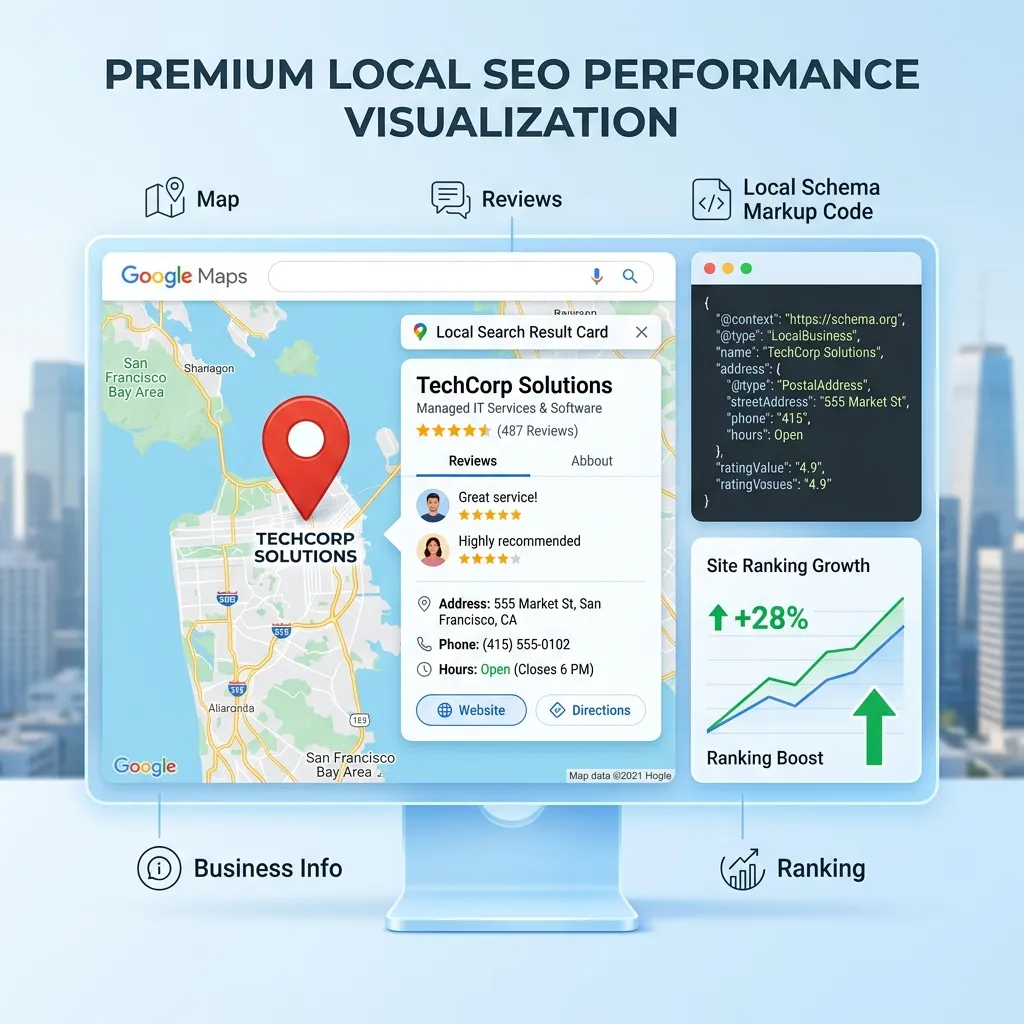
- Use LocalBusiness schema markup on your website
- Create location-specific landing pages for each service area
- Include schema markup for your business hours, reviews, and service areas
Conclusion
Google Business Profile optimization is the foundation of local SEO in 2026. An optimized profile directly drives phone calls, direction requests, website visits, and in-store traffic. For businesses in competitive local markets across Haryana, Punjab, Delhi, and Rajasthan, GBP optimization can be the difference between being invisible and dominating local search results.
The key is consistency: complete every section, post regularly, manage reviews actively, and respond to customer interactions promptly. These signals compound over time, building your local authority and search visibility.
At DigiHaryana, we help businesses across North India optimize their Google Business Profiles as part of comprehensive local SEO strategies. Our approach combines technical optimization, content strategy, and ongoing management to deliver measurable local search results.
Related Articles

Why Your Business Needs AEO in 2026: Complete Guide to Answer Engine Optimization
Discover why Answer Engine Optimization (AEO) is essential for business visibility in 2026. Learn how to get cited by ChatGPT, Perplexity, and Google AI Overviews with actionable strategies.
Voice Search Optimization for Business: Complete Guide 2026
Learn how to optimize your website and content for voice search — covering natural language queries, featured snippets, schema markup, and local search strategies for AI-powered assistants.
Schema Markup Guide for Beginners: SEO & Rich Results
Beginner-friendly guide to implementing schema markup — improve search visibility, enable rich snippets, and optimise for AI search engines like ChatGPT and Perplexity.
Get Professional SEO Services
Top-3 rankings and 3.4× organic traffic growth — technical SEO, content strategy, and white-hat link building.
